Posted on

The Real Cost of Running a Digital Product Business in 2025

The Real Cost of Running a Digital Product Business in 2025

The Real Cost of Running a Digital Product Business in 2025

A transparent look at the true expenses, time investment,
and strategy behind long-term success.

Running a digital product business is one of the most affordable and flexible ways to make money online — but low cost doesn’t mean no cost.

Behind every profitable digital store are hidden expenses most creators overlook: website tools, subscriptions, and — most importantly — the time it takes to research, create, upload, and market each product effectively.

If you’ve ever wondered, “How much does it actually cost — in time and money — to run my digital product business?” this guide gives you a realistic, transparent breakdown.

1. Your Fixed Monthly Costs

While digital product businesses don’t have inventory, packaging, or shipping expenses, there are still essential tools that keep your store running smoothly. These costs vary depending on whether you run your own website or sell through third-party platforms like Etsy or Creative Market.

If You Have Your Own Website

Expense

Purpose

Typical Cost

Notes

Website hosting & domain

Keeps your site online and secure

£10–£20/month

Many plans include SSL, backups, and professional email addresses.

Canva Pro

Design software for creating products and graphics

ÂŁ12.99/month

The go-to tool for entrepreneurs and creators.

Email marketing platform

Sends automated emails, freebies, and product updates

Free–£20/month

MailerLite and ConvertKit offer generous free tiers.

Security & backup plugin

Protects your site and data

£5–£10/month

Often included with managed hosting.

WooCommerce or Shopify

Manages sales, downloads, and payments

Free (WooCommerce) or from ÂŁ25/month (Shopify)

WooCommerce integrates easily with WordPress.

Payment processing fees

Stripe / PayPal

~2.9% per sale

A standard fee for most online transactions.

💡 Average total monthly cost: £25–£50
That’s roughly the cost of one dinner out — for a business that operates globally, 24/7, and builds long-term equity in your brand.

If You Sell Through a Third-Party Platform (Etsy, Creative Market, Gumroad, etc.)


If you don’t have your own site, third-party marketplaces are a great way to get started — but they come with different costs and limitations.

ExpensePurposeTypical Cost / FeeNotes
Listing feesTo publish each productEtsy: ÂŁ0.16 per itemRenewed every 4 months or after each sale.
Transaction feesMarketplace commissionEtsy: 6.5% per saleAutomatically deducted from your earnings.
Payment processing feesHandling customer payments~3–4% per sale + fixed £0.20 feeSimilar to Stripe or PayPal on your own site.
Platform ads (optional)Boosting visibilityPay-per-click modelYou control your ad spend.
Design softwareCanva, Photoshop, etc.ÂŁ12.99/monthStill needed to create products.

đź’ˇ Average total cost:
If you make regular sales, expect to pay around 10–15% in total fees per transaction — which can add up as your store grows.

Which Is Better Long-Term?

  • Third-party sites (like Etsy) are great for visibility and testing new ideas because they already have built-in traffic. But they also take a percentage of your sales and limit your control over branding and customer data.

  • Your own website gives you full ownership — no listing fees, no competition beside your products, and the ability to build an email list that grows with your business.

Pro tip: Many successful creators use both — starting on Etsy to build traction, then transitioning to their own website once they’ve validated their niche.

2. Optional but Helpful Tools

Once your business starts to grow, you’ll find that some tools can save you hours each week. These aren’t essential at the beginning, but they can make managing your digital store far more efficient and professional.

📌 Pinterest or Social Media Scheduler

Cost: £10–£15/month (Tailwind, Metricool, Later)
Scheduling tools let you batch-create and automatically post your pins or social content throughout the week. This keeps your marketing consistent — even when you’re busy creating new products.

💡 Tip: Tailwind’s Pinterest SmartSchedule helps you post at the best times for engagement, while Metricool lets you plan across multiple platforms in one dashboard.

🤖 AI Tools (ChatGPT, Jasper, Claude, etc.)

Cost: £10–£25/month
AI tools can generate product descriptions, email copy, blog ideas, and even pin captions in minutes. They’re also great for brainstorming keywords or simplifying repetitive writing tasks.

đź’ˇ Tip: Use AI to help with first drafts, but always add your tone and personality before publishing.

🔍 SEO & Analytics Tools

Cost: Free–£10/month (Rank Math, Keywords Everywhere, Ubersuggest)
SEO tools help your listings and blog posts rank higher in search results. They show you which keywords people are searching for and how to optimise your titles and descriptions.

đź’ˇ Tip: Use Keywords Everywhere to track keyword trends and Rank Math for on-page SEO on your WordPress site.

đź§­ Design & Workflow Add-Ons (Optional)

Cost: Free–£10/month (Creative Fabrica, Envato Elements, Notion, Trello)
Design and organisation tools can streamline your workflow and help you manage product ideas, launches, and marketing tasks.

đź’ˇ Tip: Notion or Trello are perfect for planning your weekly product releases and tracking keywords and pin ideas.

đź’¬ Golden Rule:
Only upgrade when a tool saves you more time than it costs. Start small, test what genuinely helps your workflow, and build your toolkit gradually as your income grows.
3. The Hidden Cost: Your Time

Money might be measurable, but time is your most valuable — and limited — resource.

Many new entrepreneurs focus on the cost of tools, but the true investment is the number of hours it takes to research, create, upload, and promote your products.

Here’s a realistic weekly breakdown that covers the entire process of running a digital product business effectively in 2025:

ActivityTime per WeekWhat It InvolvesNotes & Tools
Trend & keyword research2–4 hoursIdentifying trending product ideas, keywords, and seasonal opportunities. Analysing Pinterest and Etsy trends, SEO data, and social media topics.Use Insight Factory, SEO Minion, Keywords Everywhere, and Pinterest Trends. Check TikTok and Instagram for early trend signals.
Product creation & preparation4–6 hoursDesigning or customising products, exporting files, organising folders, and preparing ZIP downloads.Save time using editable PLR templates or rebrandable resources.
Product listings & uploads2–3 hoursWriting product titles, descriptions, and tags; uploading graphics, setting pricing, and testing downloads.Create a reusable listing format for faster uploads.
Marketing graphics & copy creation3–5 hoursDesigning pins, lifestyle mockups, and promo images; writing Pinterest titles, descriptions, blog snippets, and email copy.Use Canva templates and copy frameworks to batch your content.
Marketing implementation2–3 hoursScheduling pins, emails, and posts; tracking analytics and refining strategies.Automate posting with Tailwind, Metricool, or Pinterest’s native scheduler.
Customer support & admin1–2 hoursResponding to customer queries, troubleshooting links, and updating product files.Use automated replies and FAQs to save time.
Website maintenance1 hourPerforming backups, plugin updates, and functionality checks.A monthly site checklist helps avoid downtime.

⏱ Total Estimated Time Investment: 15–24 hours per week

4. Why Research Deserves Its Own Time Slot

This is the step most creators underestimate — yet it’s often the difference between products that sell and products that sit unnoticed.

Before designing, you need to know what your audience actually wants. That’s where your research tools come in:

🔍 1. Insight Factory

Use it to see what’s trending on Etsy and Pinterest — from clipart themes to planner niches. You’ll discover what people are buying right now and what keywords they’re using to find it.

🔍 2. Keywords Everywhere & SEO Minion

Check real search volumes and competition levels. These tools reveal how often people search terms like “Rustic Fall Pumpkin clipart” or “Business Planner Canva Template,” so you can target high-demand, low-competition niches.

🔍 3. Pinterest Trends

Search seasonal and long-tail terms to see which topics are rising (e.g. “neutral winter decor” or “digital journal ideas”). Timing your releases around these peaks increases visibility.

🔍 4. Social Media Insights

TikTok, Instagram, and YouTube Shorts often show visual trends weeks before they hit search platforms. Watch which aesthetics — rustic, minimalist, watercolor, etc. — are catching on and adapt them early.

💡 Tip: Keep an “Idea Tracker” spreadsheet. List keywords, trends, and potential product concepts with their search popularity and seasonality. When you’re ready to design, you’ll already know what’s worth your time.
5. Marketing: The Creative Time Sink

Once your products are ready, the next step is getting them seen — and that’s where marketing comes in.

Marketing takes far more time than most people expect. Each product needs its own visuals, captions, keywords, and personality to stand out online.

When you’re starting out, it’s tempting to post everywhere — Pinterest, Instagram, TikTok, Facebook, and X — but spreading yourself too thin can slow your growth. Instead, focus on the one platform where your audience spends most of their time.

  • If your buyers are visual and shop for inspiration → Pinterest.

  • If they engage through lifestyle content and behind-the-scenes stories → Instagram or TikTok.

  • If your products help other entrepreneurs → LinkedIn or Facebook groups might work best.

Once you’ve built consistency on one platform, you can expand later using the same content, resized and repurposed.

🎨 What Every Product Launch Needs

For each new digital product, you’ll typically create:

  • 3–5 social posts in different sizes (1000Ă—1500, 1080Ă—1920, 1080Ă—1080).

  • SEO-optimised titles and descriptions with your main keywords.

  • Lifestyle or mockup graphics for your website, emails, and social platforms.

  • Email and blog copy to announce the new release or collection.

  • Optional short-form videos (reels or TikToks) to showcase your product in action.

Even when using templates, tweaking visuals, writing captions, and testing new keywords takes time — but this work is an investment, not a chore.

đź’ˇ Tip: Batching is your best friend. Create all visuals and captions for one product in one sitting, then schedule them across your chosen platform.

đź“ The Long-Term Payoff

Marketing is a slow build, but it’s what gives your products longevity.
A well-optimised pin, reel, or blog post can continue driving traffic and sales for months — sometimes years — after it’s published.

Consistency matters more than volume. One strong product launch with beautiful visuals and clear copy will always outperform ten rushed posts.

6. How to Make It Manageable

Running a digital shop doesn’t have to take over your life. With structure and batching, you can manage everything efficiently:

  1. Batch product creation and uploads. Work on 3–5 items at once, then schedule releases weekly.

  2. Build a marketing system. Use Canva templates for pins and pre-written copy blocks for product descriptions and captions.

  3. Automate your outreach. Schedule Pinterest, blog, and email content for consistent visibility.

  4. Track results. Use Pinterest analytics and Google Search Console to learn what’s working — then do more of it.

  5. Reinvest profits. Use earnings from early sales to buy PLR bundles, premium tools, or ad boosts that save time later.

7. The Real Numbers: Cost Overview

CategoryMonthly CostAnnual Estimate
Hosting + DomainÂŁ15ÂŁ180
Canva ProÂŁ10.99ÂŁ132
Email Marketing£0–£10£0–£120
PLR & TemplatesÂŁ20ÂŁ240
Marketing ToolsÂŁ10ÂŁ120
Security / BackupsÂŁ5ÂŁ60
Estimated Total£45–£60/month£650–£750/year

That’s the realistic running cost for a professional, scalable digital business.

8. The Payoff: Low Cost, High Scalability

The time and money you invest each week don’t just create one product — they build assets that can sell forever.

Once your systems are in place, your fixed costs stay the same while your income potential scales infinitely.
The more consistent you are with product uploads and marketing, the stronger your business becomes.

Running a digital product business isn’t “passive” — it’s purposeful.

You’ll spend time researching, creating, listing, and promoting your products, but each step builds toward something that can generate sales while you sleep.

The real secret?
Success comes from consistency, not complexity. Start small, stay strategic, and focus on products your audience genuinely wants.

And if you’d like to skip the blank-screen stage, you don’t need to start from scratch.

👉 Explore ready-made PLR products, templates, and digital business resources at
ClickHubMarketing.shop — designed to help you launch faster, grow smarter, and spend your time where it matters most.


Posted on

Best Fall Fonts for Matching Rustic Clipart (Using Free Fonts Available in Canva)​

Playlist Script Font

Best Fall Fonts for Matching Rustic Clipart (Using Free Fonts Available in Canva)

When it comes to designing autumn-inspired products — from cozy planner pages to rustic fall printables and clipart bundles — choosing the right font can make all the difference. The right typography brings warmth, texture, and that charming handmade feel that perfectly complements your seasonal graphics. 🍂

If you’re using Canva, you already have access to a wide range of free fonts that are perfect for rustic fall designs. Whether you’re creating Etsy listings, Pinterest graphics, or printable wall art, these fonts will add the finishing touch to your autumn creations — no paid subscriptions required!

Playlist Script Font

1. Playlist Script

Style: Handwritten, casual, warm
Perfect for: Fall quotes, cosy product titles, and seasonal stickers

Why it works:
Playlist Script captures the essence of autumn through its effortless, handwritten charm. It’s one of those fonts that instantly evokes warmth — like the feeling of wrapping your hands around a mug of hot chocolate on a crisp fall morning.

Its slightly irregular strokes mimic real penmanship, giving your designs that perfectly imperfect look that feels personal and handcrafted. This is exactly why it complements rustic clipart so beautifully — think watercolour pumpkins, dried leaves, wooden textures, and cosy fall scenes. The font’s flowing curves and natural rhythm enhance the organic, earthy feel of your artwork without overpowering it.

When used for product titles or quotes, Playlist Script draws attention while keeping the tone soft and inviting. It’s ideal for printable wall art, planner covers, or social media graphics where you want to capture that “cosy autumn” vibe.

Design Tip:
Use Playlist Script for your main heading or featured words (like “Cosy,” “Grateful,” or “Pumpkin Season”) and pair it with a clean, modern font like Montserrat for subheadings or body text. This balance of handwritten and structured fonts creates harmony — rustic charm meets modern professionalism.

Best combo:
🎨 Playlist Script (for headlines) + Montserrat (for clean subheadings)
→ Ideal for product packaging, Pinterest pins, Etsy thumbnails, or branding mock-ups that need to feel both creative and polished.

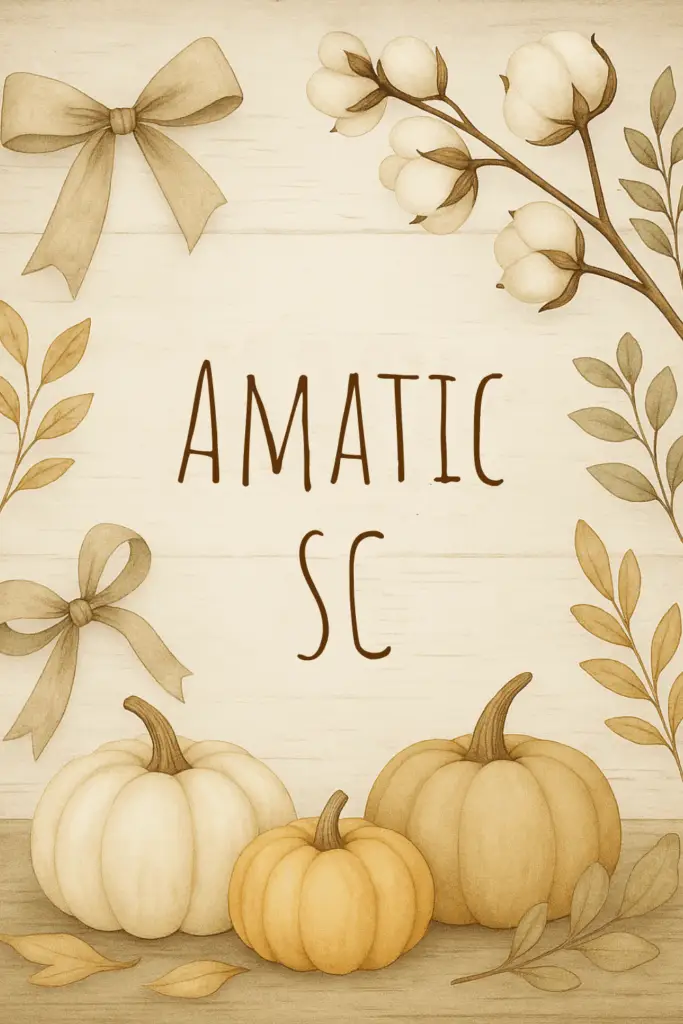
2. Amatic SC

Style: Tall handwritten print
Perfect for: Labels, farmhouse signs, and minimalist rustic templates

Why it works:
Amatic SC has a distinct charm that feels handcrafted and full of personality. Its tall, narrow letters give it an organic, slightly imperfect aesthetic — the kind of handwritten look you’d find on chalkboard café menus, rustic wedding signs, or vintage market labels.

What makes this font so versatile is its simplicity. It’s not overly decorative, which means it works beautifully when you want your clipart or textures to shine without overwhelming the design. Whether you’re working on planner headers, farmhouse wall art, printable tags, or digital product covers, Amatic SC adds a friendly and approachable touch.

Because of its condensed shape, it’s also incredibly space-efficient — you can include longer titles or headings without losing readability. This makes it a great choice for Etsy thumbnails, product mockups, and Pinterest pins where space is limited but visual appeal is essential.

Design Tip:
Try using Amatic SC in uppercase for bold, rustic titles, or mixed case for a more playful, relaxed tone. It pairs wonderfully with soft watercolor clipart — like pumpkins, foliage, or linen textures — giving your design a natural, down-to-earth feel.

Pair with:
✨ Amatic SC (for titles or headers) + Lato or Open Sans (for body text or product descriptions)
→ This pairing strikes the perfect balance: Amatic brings the handcrafted, rustic feel, while Lato or Open Sans keeps the design modern, clean, and easy to read.

Amatic SC Font
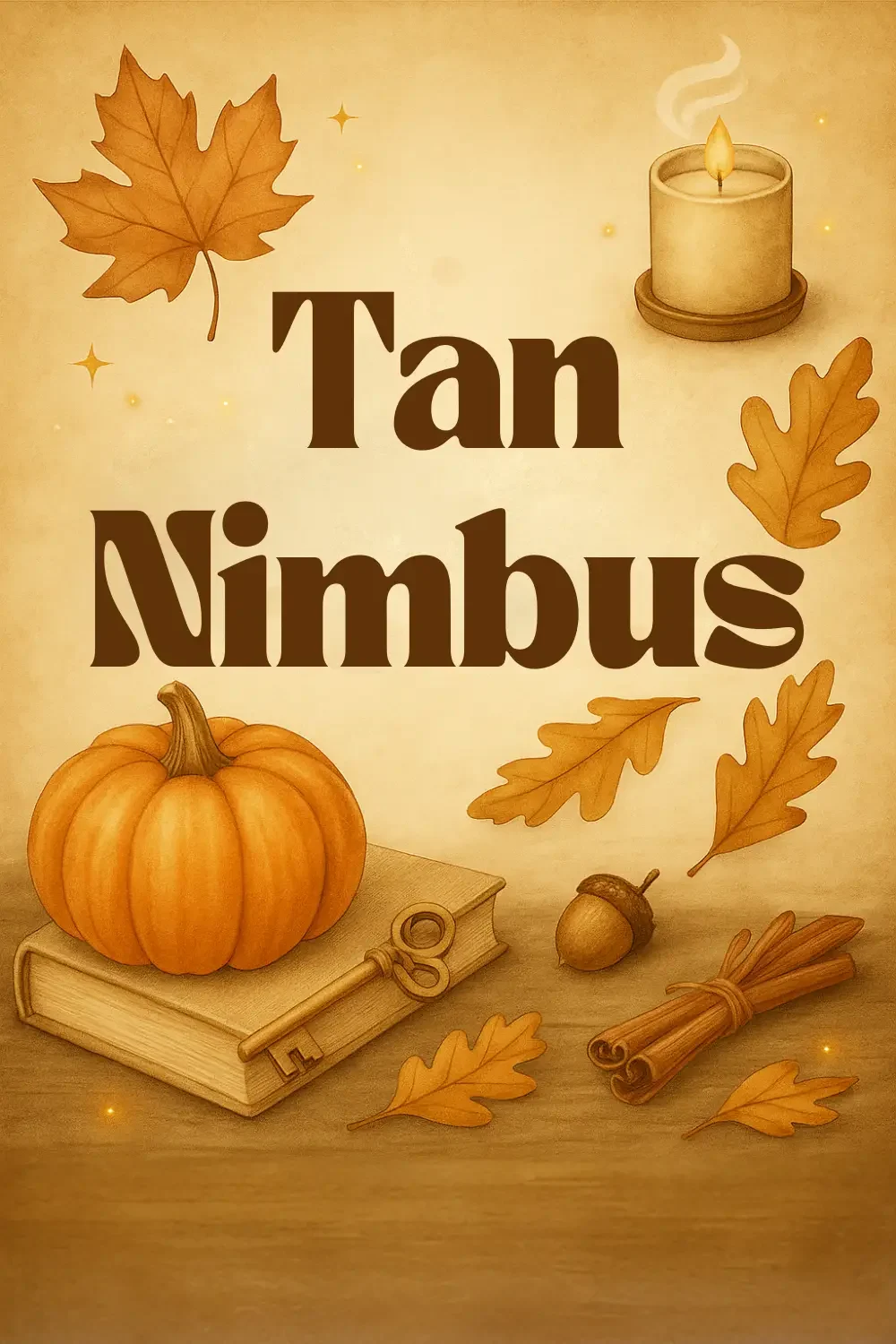
Tan Nimbus Font

3. Tan Nimbus

Style: Bold vintage serif
Perfect for: Product branding, logos, and bold autumn headlines

Why it works:
Tan Nimbus strikes that perfect balance between classic elegance and rustic warmth. With its bold, slightly weathered serif style, it carries the kind of vintage charm that instantly gives your designs a sense of heritage and craftsmanship. It feels timeless yet contemporary — the kind of font you’d imagine stamped on artisanal packaging, engraved on handmade labels, or featured in an upscale fall campaign.

This font is particularly effective for titles, headers, and branding marks that need to stand out while still feeling approachable and grounded. The subtle imperfections in its letterforms make it feel authentic, not overly polished — perfect for designs inspired by nature, tradition, or cozy handmade goods.

If you’re working on rustic clipart collections, digital papers, or autumn-themed printables, Tan Nimbus adds that editorial, high-end touch that makes your products feel professionally designed. It’s also fantastic for Pinterest graphics or Etsy product banners, giving your visuals a sense of sophistication that pairs beautifully with watercolor or textured backgrounds.

Design Tip:
Try using Tan Nimbus for your main titles and pairing it with a handwritten or brush font for subtext — this creates a visually rich mix of strength and softness. Use it in warm, deep hues like chestnut, cinnamon, or golden brown to enhance its nostalgic, autumn-inspired feel.

Pair with:
✨ Tan Nimbus (for bold headings) + Brusher or Great Vibes (for cursive accent text)
→ This combination gives you a perfect contrast: strong and grounded meets elegant and fluid — ideal for blending rustic authenticity with modern charm.

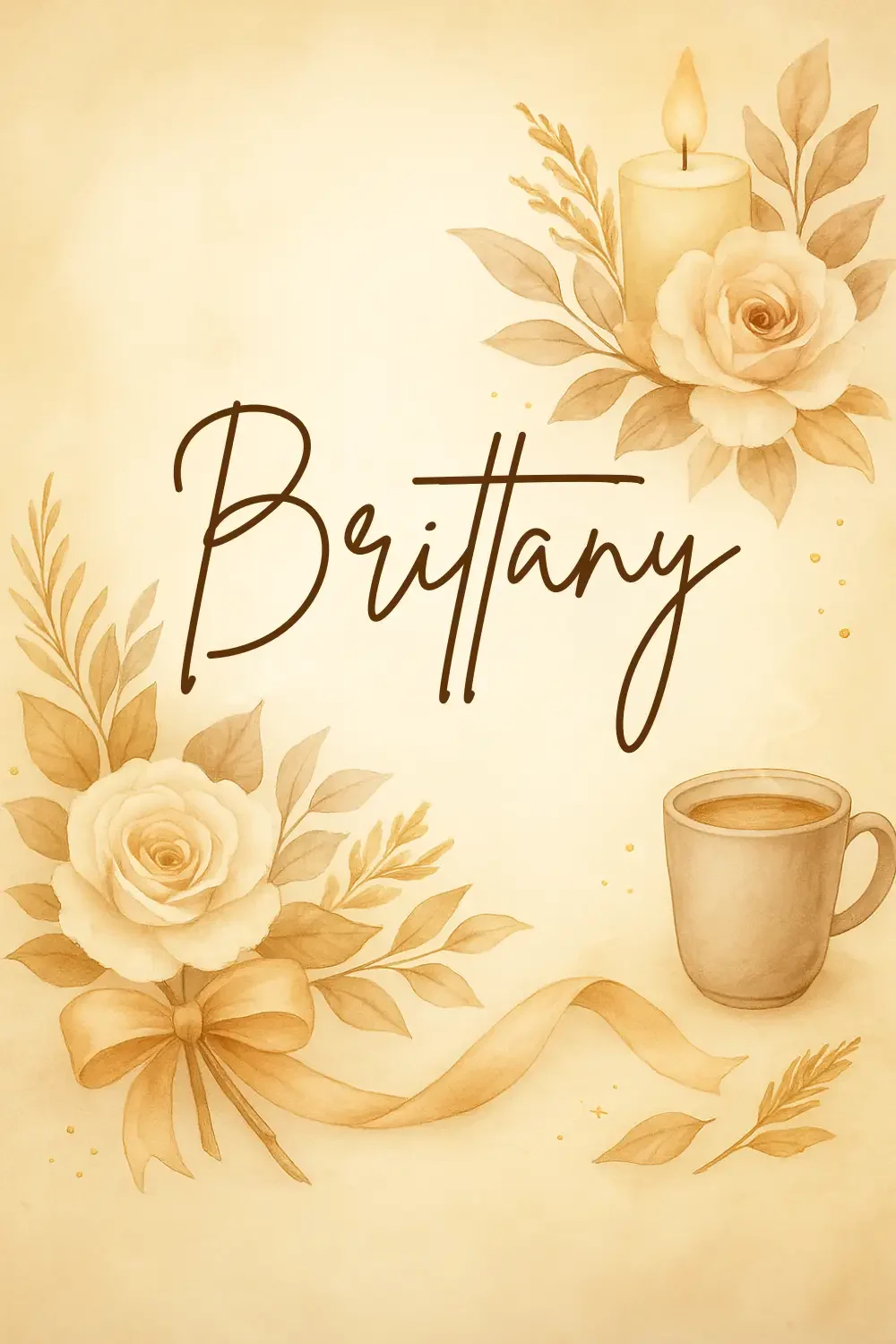
4. Brittany

Style: Script with elegant, looping strokes
Perfect for: Invitations, planner covers, and branding graphics

Why it works:
Brittany is one of those fonts that instantly transforms a simple design into something warm, inviting, and beautifully refined. With its smooth, flowing lines and delicate loops, it captures that perfect balance between romantic elegance and cozy charm. It’s the kind of font that feels handwritten with care — like the finishing touch on a love note, a candle label, or a seasonal printable.

Brittany shines in fall-inspired projects because it embodies that “pumpkin spice and everything nice” aesthetic — comforting yet polished. It adds a touch of grace to your rustic clipart collections, especially when paired with watercolor illustrations such as autumn florals, coffee mugs, candles, and cozy sweaters. The font’s natural movement makes it feel effortless, while its legibility ensures your designs remain professional and easy to read.

For digital product sellers, Brittany is a go-to choice for creating planner covers, product packaging, or brand logos that need to feel stylish yet approachable. It also works beautifully in Pinterest graphics or social media posts where you want to express warmth and creativity without losing sophistication.

Design Tip:
Use Brittany for headlines or key accent phrases in your designs — for example, “Autumn Collection,” “Cozy Vibes,” or “Grateful Heart.” Keep supporting text simple and elegant with a serif font to avoid overwhelming the design. Try layering it over soft watercolor backgrounds or beige linen textures for that refined rustic feel.

Pair with:
✨ Brittany (for main titles or script accents) + Playfair Display (for elegant subheadings or body text)
→ This combination is timeless: Brittany adds charm and personality, while Playfair Display anchors the design with structure and sophistication. Together, they create a romantic yet modern look that’s perfect for cozy fall branding and printables.

Briitany Font
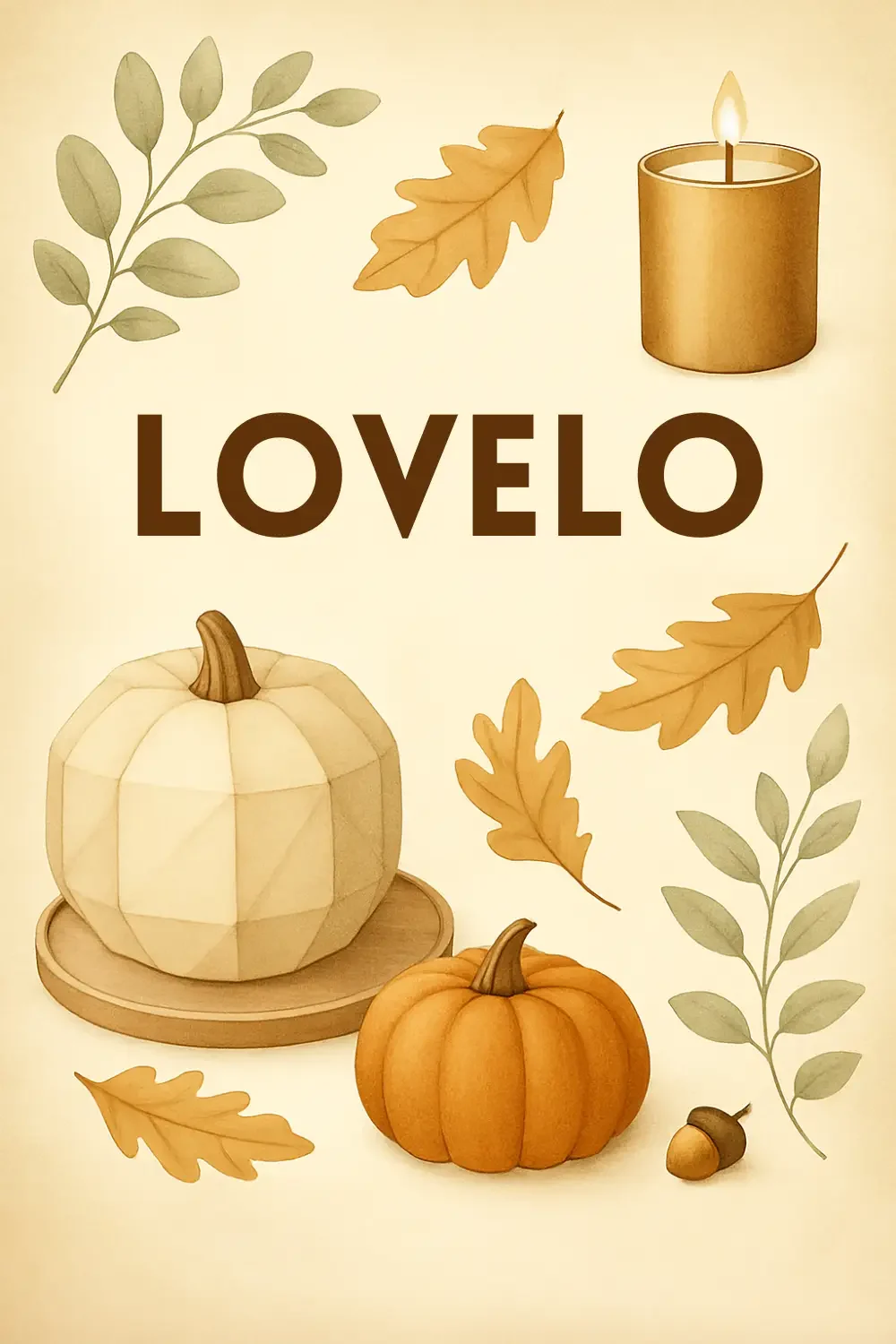
Lovelo Font

5. Lovelo

Style: Geometric sans serif
Perfect for: Modern rustic branding, bold product titles, and pins

Why it works:
Lovelo is the perfect choice when you want to blend modern minimalism with rustic authenticity. Its clean, geometric structure provides a crisp contrast to the soft, organic textures of watercolor clipart and hand-drawn illustrations. While many rustic fonts lean vintage or handwritten, Lovelo brings a fresh, contemporary twist — making your designs feel polished, professional, and ready for today’s digital marketplaces.

This font works especially well in digital product branding where clarity and legibility are key — such as Etsy thumbnails, Pinterest pins, social media banners, and shop logos. Its bold, confident lines draw attention instantly, helping your titles and brand names stand out even when displayed in smaller formats.

What makes Lovelo truly versatile is how easily it complements textured and handcrafted design elements. When paired with rustic clipart, like watercolor leaves, pumpkins, or cozy fall icons, it creates a sophisticated balance — rustic charm meets modern simplicity. It’s ideal for creators who want to maintain warmth and creativity while presenting a sleek, upscale look.

Design Tip:
Use Lovelo in uppercase for strong visual impact — perfect for titles or product names. For a cohesive aesthetic, pair it with neutral backgrounds or lightly textured surfaces (linen, paper grain, or wood). Accent it with warm tones — gold, cream, or terracotta — to keep the design grounded in that rustic, autumn palette.

Pair with:
✨ Lovelo (for bold titles or headings) + Cinzel Decorative (for elegant subheadings or accent words)
→ This pairing balances clean, modern structure with timeless classical beauty. Together, they deliver a refined rustic style ideal for both branding and high-end printable collections.

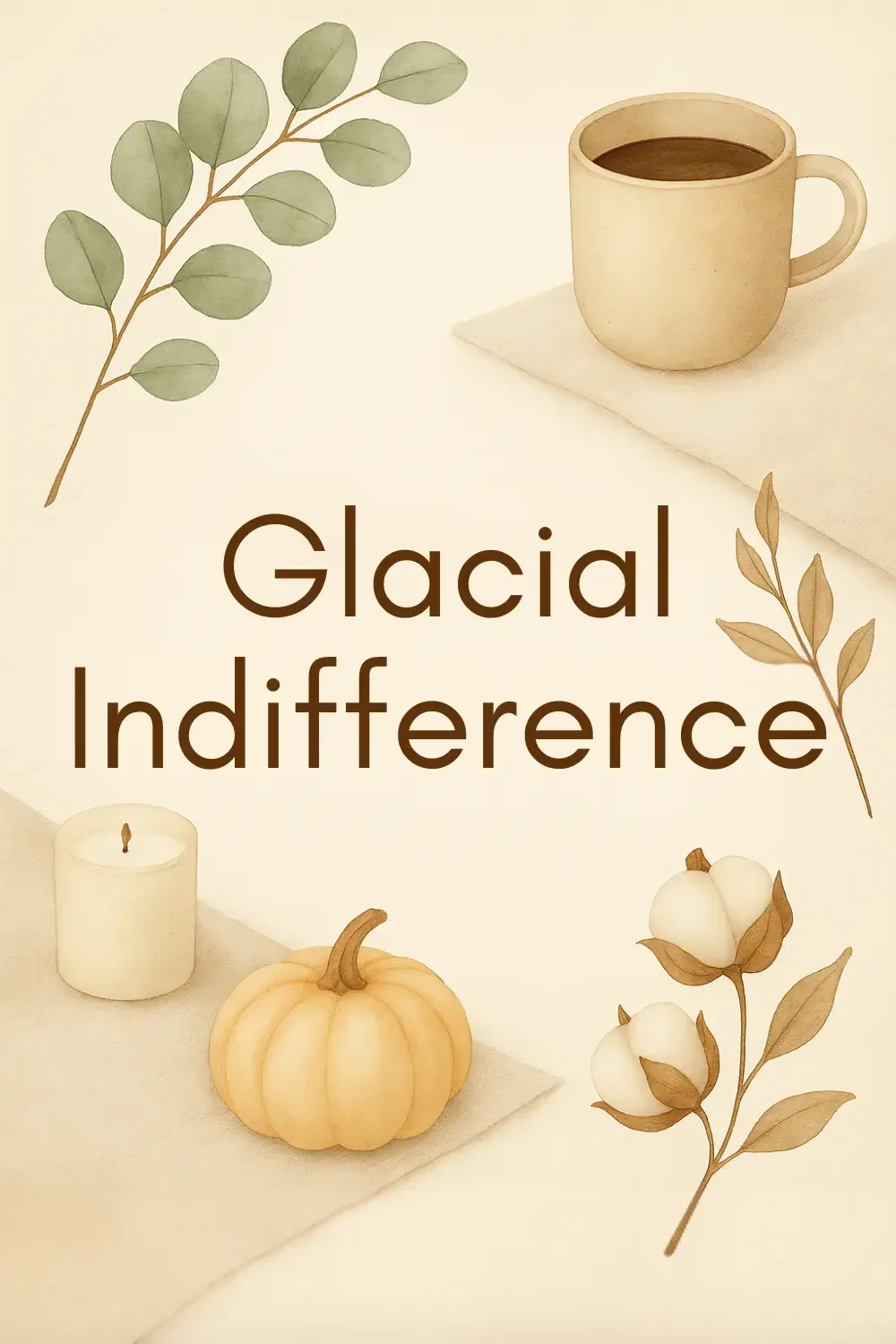
6. Glacial Indifference

Style: Minimal sans serif
Perfect for: Pinterest graphics, email headers, and product listings

Why it works:
Glacial Indifference is the epitome of modern simplicity. Its clean lines, balanced spacing, and subtle geometric form make it the ideal font when you want your visuals — especially your clipart, textures, or photography — to take center stage. While many rustic designs lean into ornate or handwritten fonts, Glacial Indifference brings in a breath of fresh air with its minimalist, professional edge.

This font shines in digital product branding because it’s both timeless and versatile. Whether you’re designing Pinterest pins, Etsy product listings, email graphics, or product mock-ups, it maintains consistency and clarity across every touchpoint. The beauty of Glacial Indifference lies in its neutrality — it doesn’t compete for attention but instead creates a harmonious balance that lets your design elements and color palette breathe.

For digital product entrepreneurs, this font is a must-have for creating brand cohesion. Use it for your logo subtext, website headers, or shop categories to unify your visuals and build instant recognizability. It’s especially powerful when paired with rustic clipart or watercolor textures, offering that crisp contrast between handcrafted and modern.

Design Tip:
Use Glacial Indifference in uppercase for a bold, editorial feel, or sentence case for a softer, minimal look. It pairs beautifully with warm neutrals, textured backgrounds, and gold or copper accents — creating a rustic-modern fusion that feels both cozy and clean.

Pair with:
✨ Glacial Indifference (for headings or clean body text) + Tangerine (for script accents or signatures)
→ This pairing blends modern structure with organic charm — perfect for rustic branding, minimalist templates, or high-end digital product presentations.

Glacial Indifference Font
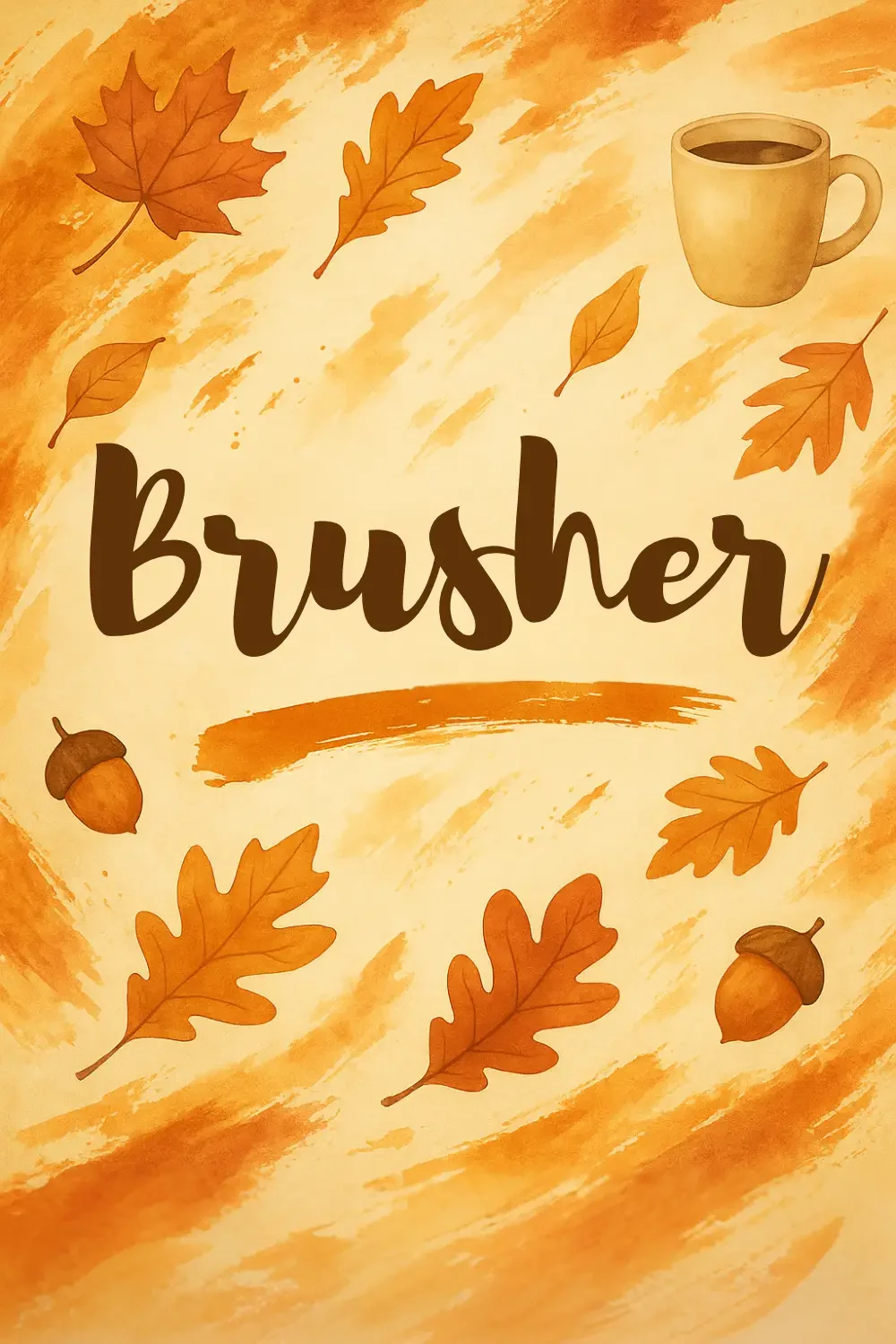
Brusher Font

7. Brusher

Style: Bold brush script
Perfect for: Social media graphics, product launches, and quote art

Why it works:
Brusher is all about energy, texture, and attitude. With its bold, free-flowing brushstrokes, it brings a burst of personality to your designs — making it perfect for autumn-inspired graphics, cozy quotes, and eye-catching product titles. It has that “painted by hand” authenticity that instantly adds movement and life to your layouts, while still maintaining enough structure to stay readable across different digital platforms.

Unlike delicate or minimalist scripts, Brusher thrives on contrast. It’s unapologetically bold — ideal for statement words such as “Cozy,” “Grateful,” “Harvest,” or “Sweater Weather.” When paired with watercolor clipart or rustic design elements, it feels expressive and handmade, adding warmth and excitement to your visual storytelling.

This font is especially powerful for social media graphics and product launches, where you need to grab attention quickly. It’s perfect for Pinterest pins, Etsy banners, Instagram posts, and seasonal marketing materials, giving your content a creative, hand-crafted edge that feels authentic and full of personality.

Design Tip:
Use Brusher as your primary font for headlines or short statements, and let it shine against simple, neutral backgrounds or textured surfaces. Try using it in warm, rich tones like deep orange, burnt sienna, or espresso brown to tie it into fall color palettes. Balance its textured look by pairing it with a refined serif or sans serif for subtext.

Pair with:
✨ Brusher (for bold titles or expressive phrases) + Libre Baskerville (for elegant, readable body text)
→ This pairing gives your designs both drama and balance — Brusher draws the eye, while Libre Baskerville keeps things grounded, clean, and easy to read. Together, they’re a perfect rustic combination for modern creatives.

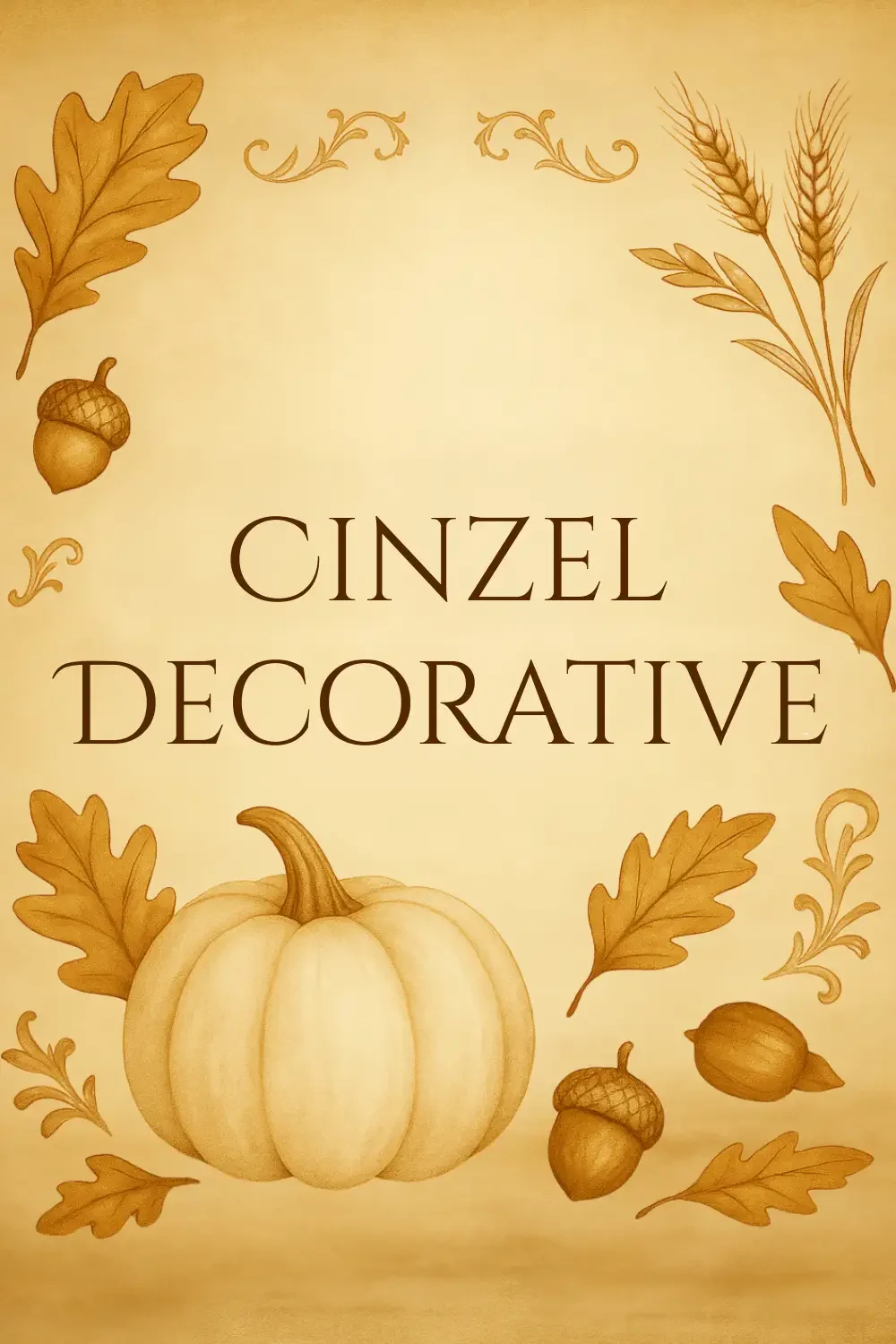
8. Cinzel Decorative

Style: Elegant serif
Perfect for: Seasonal branding, product packaging, and quote designs

Why it works:
Cinzel Decorative brings an air of timeless sophistication to any rustic design. Inspired by classical Roman inscriptions, this elegant serif font combines tradition and artistry, making it ideal for creators who want their autumn collections to feel luxurious, refined, and high-end. Its sculpted letterforms add depth and gravitas — like something carved into stone — while the delicate curves of its decorative edges give it a soft, artistic finish.

This balance of strength and detail makes Cinzel Decorative perfect for branding, packaging, and hero typography. It elevates seasonal collections, transforming simple text into something that feels intentional and premium. Whether you’re designing product labels, greeting cards, or social media graphics, Cinzel instantly communicates quality and craftsmanship.

When paired with rustic clipart, such as watercolor pumpkins, golden leaves, or cozy autumn florals, Cinzel Decorative creates a stunning contrast — the polished meets the organic. It’s particularly effective for elegant fall branding where you want to capture both warmth and sophistication.

Design Tip:
Use Cinzel Decorative for titles, product names, or standout quotes, and let it lead the visual hierarchy. To soften its formal elegance, pair it with handwritten or script fonts for subheadings or accents — this creates that perfect rustic-luxe aesthetic your audience will love. Keep the color palette warm and refined: think champagne gold, cocoa brown, soft cream, and muted copper tones.

Pair with:
✨ Cinzel Decorative (for headlines or branding titles) + Playlist Script (for elegant accent text)
→ This pairing embodies timeless charm: Cinzel brings structure and prestige, while Playlist Script adds warmth and a human touch — a perfect union of classical and rustic design.

Cinzel Decorative Font

Pro Tip:

When pairing fonts in Canva, try mixing a script or serif font (for warmth and personality) with a clean sans serif font (for balance and readability). For example:

Playlist Script (heading) + Montserrat (body)
Brittany (heading) + Playfair Display (subheading)

This combo approach keeps your design cohesive and professional — ideal for mock-ups, Pinterest pins, or printable templates.

Design That Feels Like Fall

When your fonts and clipart work in harmony, your designs feel intentional and full of character — the kind of creations that instantly draw people in. Great fall design isn’t just about color; it’s about emotion. It’s about capturing the warmth of a cozy morning coffee, the texture of weathered wood, and the charm of handwritten notes on kraft paper.

Experiment with these free Canva fonts to craft autumn products that feel both nostalgic and beautifully modern. Whether you’re designing planners, printables, or branding kits, the right typeface has the power to elevate your rustic clipart from simple to stunning — creating designs that inspire comfort, creativity, and connection all season long.

Access Free Commercial-Use Products or Unlock Full PLR Rights

Experiment with these free Canva fonts to craft autumn products that feel both nostalgic and beautifully modern. If you’d love ready-made design assets to pair with your fonts, join our Free Click Hub Marketing Membership — where we upload new clipart, templates, and digital resources you can use in your products every week.

✨ Join for free to access commercial-use products, or upgrade to our £9.99/month PLR Membership for full access to all products with private label rights. New resources are added regularly, so your creative library keeps growing!

🍂 Join the Free Membership HereÂ

Posted on

What Digital Products Sell Well? (And Yes, They Really Do Make Money)

Do Digital Products Make Money? Here’s Why They’re One of the Smartest Ways to Sell Online

If you’ve ever caught yourself Googling, “Do digital products make money?” or “What digital products sell well?” you’re in the right place. At Click Hub Marketing.shop, we help creators turn ready-made assets into reliable, recurring income—so let’s dig into the data, trends, and profit-boosting tips you need to succeed.

1. Why Digital Products Are a Revenue Powerhouse

AdvantageWhy It Matters
No inventory or shippingFiles are delivered instantly—zero fulfilment headaches.
High profit marginsAfter the first creation cost, each extra sale is ~100 % profit.
Unlimited scalabilityOne design can sell thousands of times worldwide.
Resilient to supply-chain hiccupsNo stockouts, no customs delays—just pure download bliss.

2. Top-Selling Digital Product Categories for 2025 +

Below are the niches consistently dominating Etsy, Shopify, and independent storefronts.

RankCategoryWhy It SellsQuick-Start Tip
1Printable Planners & JournalsEvergreen demand for organisation and self-care.Start with undated layouts to stay “evergreen.”
2Canva TemplatesBusiness owners need plug-and-play marketing visuals.Offer matching bundles (posts + stories + pins).
3Clipart & Design AssetsDesigners, teachers, and crafters buy themed art packs year-round.Release seasonal & niche bundles for discoverability.
4Digital Coloring PagesStress-relief trend + instant kid entertainment.Add commercial-use rights for extra appeal.
5SVG & Laser-Cut FilesThe crafting boom keeps plotters and lasers busy.Provide multiple file types (SVG, DXF, PNG).
6Social Media BundlesEntrepreneurs outsource graphics to save time.Include reel covers & carousels for premium pricing.
7Resume & Presentation TemplatesJob-seekers upgrade their personal brand quickly.Pair with a mini “how-to” guide as a value-add.
8Mini Courses & WorkbooksMicro-learning is exploding; people pay for speed.Keep lessons <45 min and include actionable PDFs.
9Mockup FilesSellers need stylish scenes to showcase their products.Niche down (e.g., A4 desk, iPad stylus, apparel flat lay).
10Budget Trackers & Finance Sheets2024-25 cost-of-living crunch drives frugal living tools.Offer Google Sheets + printable versions for versatility.

These categories repeatedly appear on “best seller” lists across Etsy and print-on-demand platforms.

3. Real-World Proof: Digital Products = Real Money

  • ÂŁ700 per day side hustle: A UK creator hit ÂŁ52k on Etsy in under a year selling budgeting planners and printables. ‍

  • Seven-figure template stores: Multiple sellers publicly share $100k+ revenue screenshots from Canva and presentation templates.

  • Click Hub Members: Many of our users replace part-time income in months by reskinning our commercial-use assets into niche bundles.

Bottom line? Digital downloads aren’t just pocket money—they can scale into a full-time business with the right strategy.

4. How to Pick YOUR Winning Product

  • Match a pain-point: Busy moms want chore charts; entrepreneurs need funnel templates.

  • Check competition: Search Etsy + Creative Market. High demand with manageable competition is the sweet spot.

  • Validate fast: List a beta version; measure saves, add-to-cart, and sales within two weeks.

  • Iterate & bundle: Top sellers often grow from a simple core product plus add-ons (stickers, matching covers, etc.).

5. Optimising for Maximum Profit

  • License Clarity: Offer commercial-use options at a higher tier for B2B buyers.

  • SEO Everything: Title, tags, and alt text. Long-tail keywords convert best (“female entrepreneur daily planner PDF”).

  • Premium Mockups: Showcase your download in lifestyle settings—conversion rates jump 30-50 %.

  • Email Upsells: Send buyers coupon codes for matching products within 24 hours.

  • Evergreen + Seasonal: Keep consistent sellers (budget planners) and spike traffic with seasonal drops (Christmas clipart).

6. Your Shortcut: Click Hub Marketing Membershiprt).

Why start from scratch when you can:

  • Download hundreds of commercial-use planners, clipart packs, and templates.

  • Customise in minutes with our drag-and-drop Canva links.

  • Resell legally under your own brand—no design degree required.

Join today, and you could list your first profit-ready product this weekend.

Final Thoughts

Do digital products make money? Absolutely. And the ones above sell exceptionally well when you pair them with smart positioning, solid SEO, and standout visuals. Ready to put these insights into action? Explore the assets waiting for you inside Click Hub Marketing.shop—and turn your creativity into sustainable, scalable income.

Start today. Sell tomorrow. Scale for years. Let’s build your digital-product empire together.

Posted on

Do Digital Products Make Money?

Do Digital Products Make Money

Do Digital Products Make Money? Here’s Why They’re One of the Smartest Ways to Sell Online

If you’re wondering, “Do digital products actually make money?” — the answer is a confident yes. And at Click Hub Marketing, we’re living proof that digital downloads can transform your time and skills into recurring, scalable income.

From planners and clipart to templates and digital journals, digital products are one of the most profitable and accessible business models available today.

Let’s break down why—and how—you can start making money with digital products even if you’re just starting out.

Why Digital Products Are So Profitable

Here’s what makes digital products a smart, low-risk business move:

âś… No Inventory, No Shipping

You don’t need a warehouse. Or a postage label. Or to worry about damaged parcels. With digital goods, your products are delivered instantly—and automatically.

âś… High Profit Margins

Digital products cost little to reproduce. Once you’ve created or customised a product (or used a commercial-use template from our shop), your profit per sale is close to 100%.

âś… Passive & Scalable Income

You can sell the same product thousands of times. Whether it’s a colouring page or a business card template, digital products work while you sleep.

âś… No Supply Chain Issues

You’re not reliant on suppliers, stock, or overseas delays. You’re in control, from creation to delivery.

So… Do Digital Products Make Money?

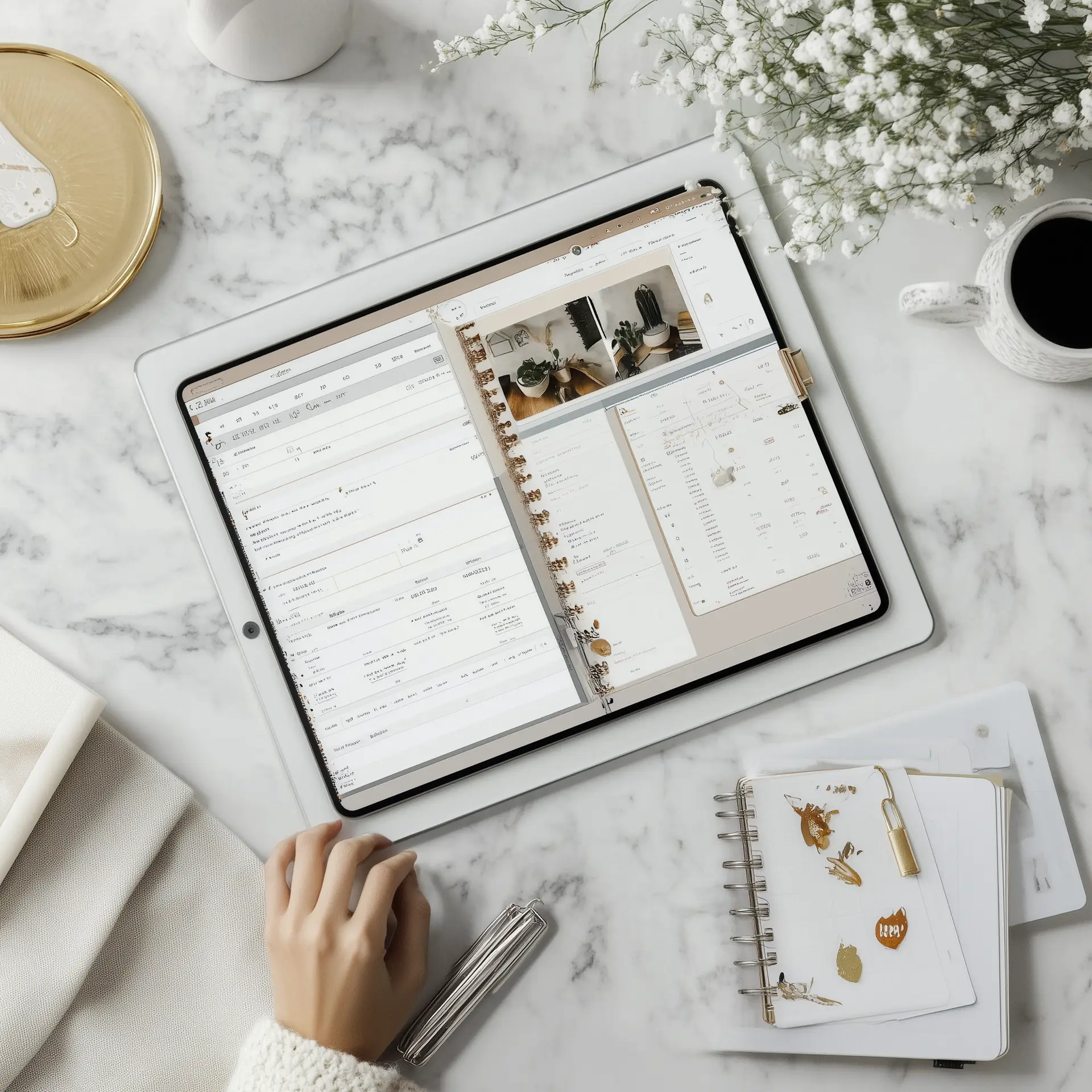
Digital Planner Mock-Up Templates
  • Yes—and even more so when:

    • You target a specific niche (e.g. wedding planners, homeschool moms, digital artists).

    • You use SEO to get traffic (we’re all about that at Click Hub Marketing!).

    • You offer value—whether it’s done-for-you templates, beautiful clipart, or time-saving business tools.

What Types of Digital Products Make the Most Money?

Here are just a few profitable ideas you can sell with commercial use rights:

  • Planners & Journals – Daily, wellness, budgeting, goal-setting

  • Clipart Collections – Niche bundles (e.g. holidays, pets, seasons)

  • Canva Templates – For lead magnets, social media, or marketing

  • Coloring Pages – For kids, adults, or niche hobbies

  • Stationery & Notepads – Customizable for productivity or gifting

  • Mockups – So others can show off their digital products

  • Digital Stickers – For GoodNotes or journaling apps

  • Mini Courses or Printables – Teach or share valuable info

Explore these and more inside the Click Hub Marketing Shop.

How to Start Selling Digital Products (Without Overwhelm)

  1. Pick a niche you enjoy or know well.

  2. Use commercial-use templates to save time.

  3. Create your first product (or bundle a few together).

  4. List on your site, Etsy, or Shopify.

  5. Promote through email or Pinterest.

Want to save even more time? Become a member and get instant access to editable resources you can customise and resell—without starting from scratch.

Final Word: Yes, Digital Products Make Money (When Done Right)

You don’t need to be a designer, influencer, or tech wizard. All you need is a smart strategy, quality products, and a commitment to get started.

At Click Hub Marketing, we give you the tools to skip the guesswork—and build a business that grows with you.

👉 Start today. Sell tomorrow. Scale forever.

Posted on

What Is the Easiest Product to Sell? 15 Digital Products You Can Start with Today

Devices and Digital Products Mockup Canva

What Is the Easiest Product to Sell? 15 Digital Products You Can Launch Fast

If you’ve ever asked yourself, “What is the easiest product to sell online?” — you’re not alone. At Click Hub Marketing Shop, we help digital product entrepreneurs turn their ideas into income with ready-made templates, clipart, planners, and more.

The truth is: digital products are among the easiest things to sell because they require no inventory, have high profit margins, and can be sold over and over again.

Let’s jump right into our curated list of 15 easy-to-sell digital products you can create and launch quickly—even if you’re just getting started.

1. Printable Planners & Notepads

Everyone loves organization. Daily planners, habit trackers, and meal planners are always in demand. Customise, list, and sell in minutes.

2. Colouring Pages

Perfect for kids, adults, or themed niches (e.g. mindfulness or holidays). Use commercial-use colouring pages or draw your own.

3. Digital Stickers

Ideal for digital journaling or GoodNotes users. They’re quick to make and even easier to sell as bundles.

4. Canva Templates

From social media kits to lead magnet designs, editable Canva templates are a digital entrepreneur’s dream.

5. Clipart Packs

Selling clipart is one of the simplest ways to monetize your creativity. At Click Hub Marketing, we provide commercial-use packs that are ready to un your digital products for resell.

6. Wall Art Prints

Motivational quotes, nursery designs, or minimalist décor—printable art sells well on Etsy and your own store.

7. Digital Journals

Wellness, gratitude, productivity—you can niche these endlessly. Offer them as editable or locked PDFs.

8. Ebooks & Workbooks

Turn your knowledge into a simple PDF and offer it for instant download. Great for building authority and passive income.

9. Social Media Bundles

Pre-designed Instagram post templates, story sets, or Pinterest pins are in high demand with business owners.

10. Product Mockup Templates

Let others showcase their own digital products beautifully. Our mockups help your audience skip the design stress.

11. Printable Games & Activities

Bingo cards, scavenger hunts, word searches—these are fun to make and incredibly popular for seasonal traffic.

12. Lead Magnet Templates

Create and sell high-converting opt-in freebie templates that your customers can use to grow their email list.

13. Branding Kits

Logos, brand boards, and color palettes bundled as editable templates offer huge value for small businesses.

14. Checklists & Cheat Sheets

These fast, functional documents are excellent for niche markets—think blogging checklists, wedding planning, or budgeting guides.

15. Courses & Mini Lessons

You don’t need hours of content—start with a mini course, especially if it supports a product bundle or solves a specific pain point.

Why Digital Products Are the Easiest to Sell

Cherry Tree Teal Wall Art Listing
  • No shipping or stock

  • Instant delivery

  • Passive income

  • Global reach

  • Scalable & reusable

And best of all? You can start with the ready-made resources inside the Click Hub Marketing Shop. Whether you’re designing planners, clipart, or templates, we’ve got what you need to start selling digital products today—with PLR rights included.

Ready to Launch Your First Digital Product?

Explore our shop by category to access hundreds of editable products you can sell as your own—no design skills needed.

👉 Visit Click Hub Marketing Shop and start building your digital income today.